

MetaMask Setup
MetaMask is currently the recommended wallet as it can correctly render balances for both EVM and MANTRA Chain (Dukong) MANTRA.
1
Add the MANTRA Dukong Network
Open MetaMask and select the network dropdown (top-right corner) to add a custom network with the following details: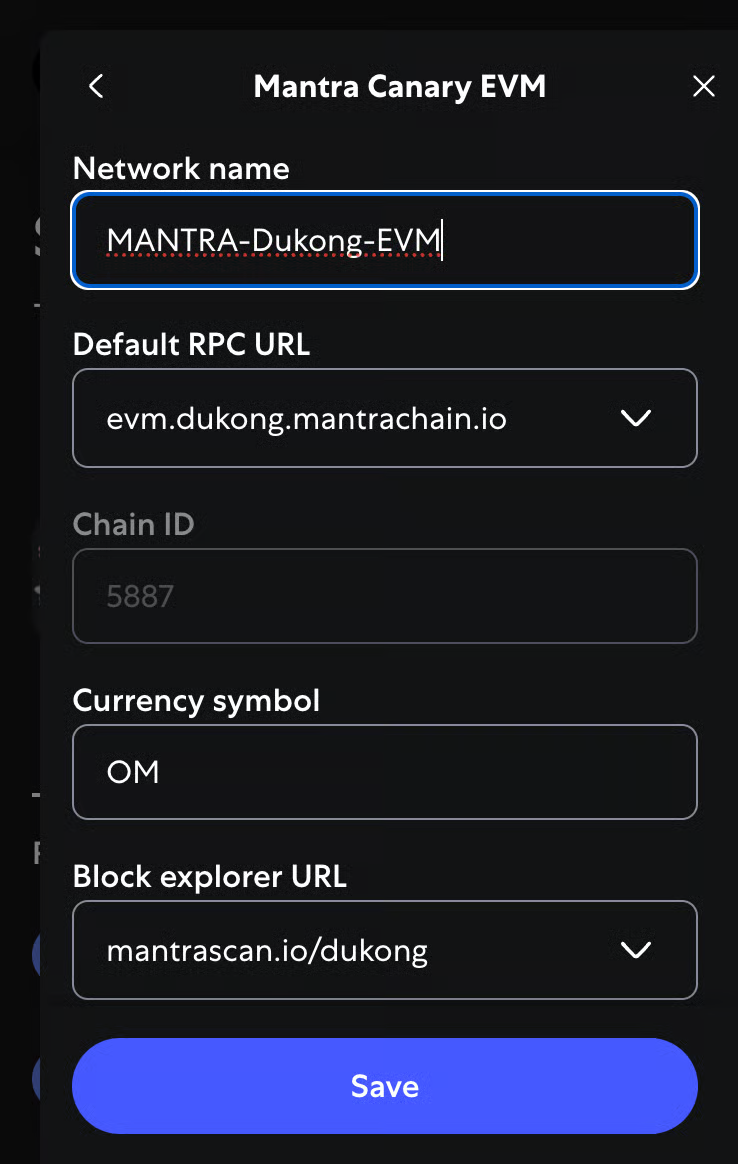
2
Verify Your Connection
Switch to the MANTRA-Dukong network and you should see your native MANTRA token balance.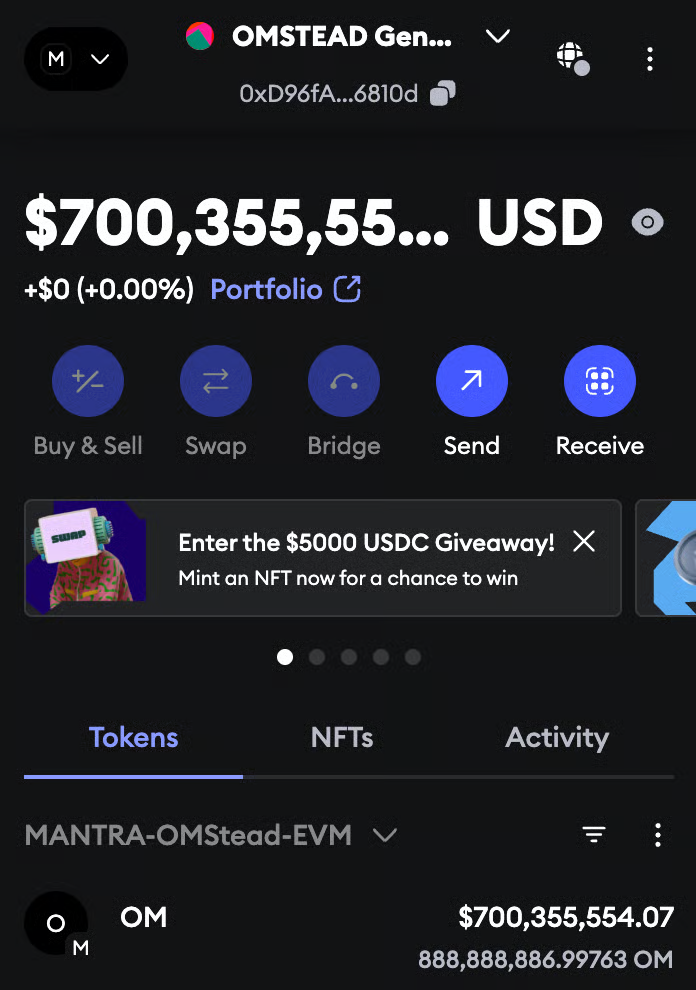
Keplr Setup
1
Install Keplr Wallet
Navigate to https://keplr.app/ and install the Keplr Wallet extension compatible with your browser. Keplr Wallet is essential for managing your crypto assets on the Cosmos ecosystem.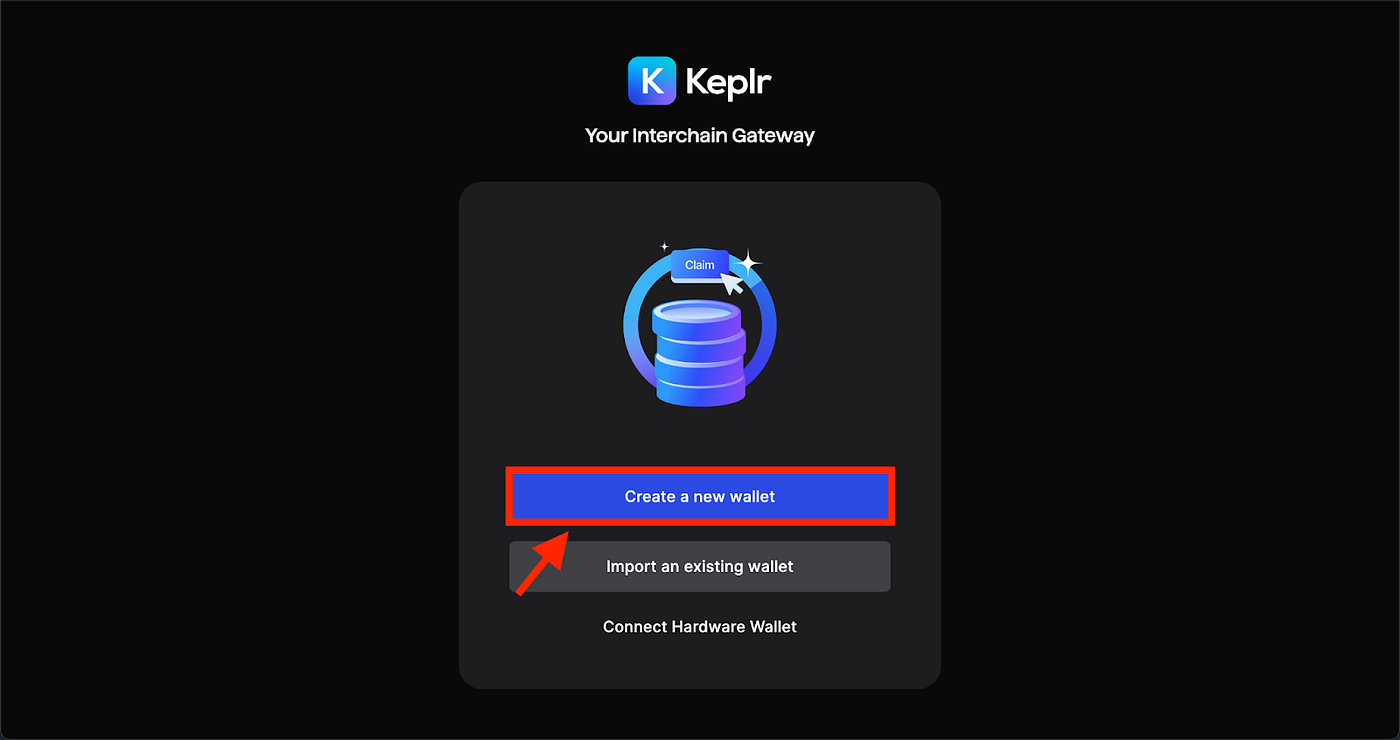
2
Set Up Keplr Wallet
Add a wallet name, set up a password, and secure your seed phrase or recovery phrase.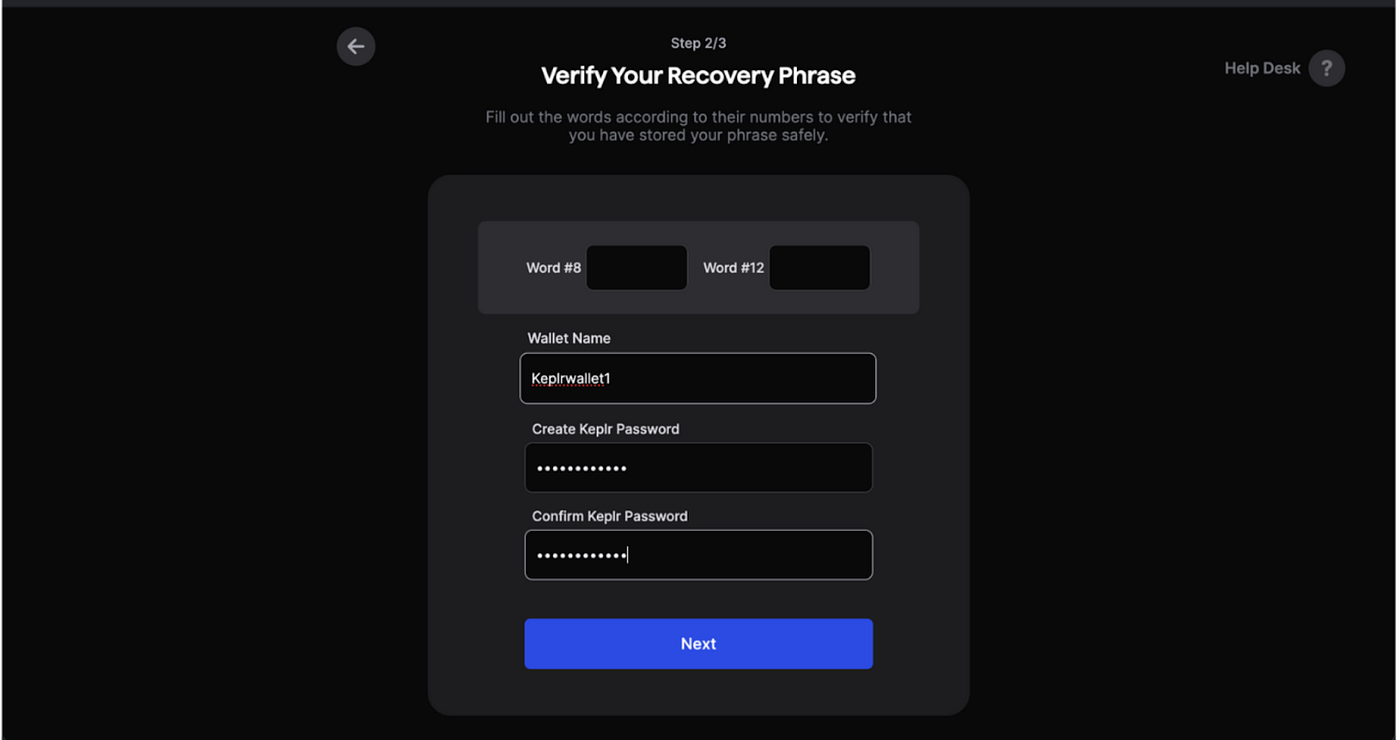
3
Add MANTRA Chain to Keplr Wallet
Integrate the MANTRA Dukong testnet into your Keplr Wallet: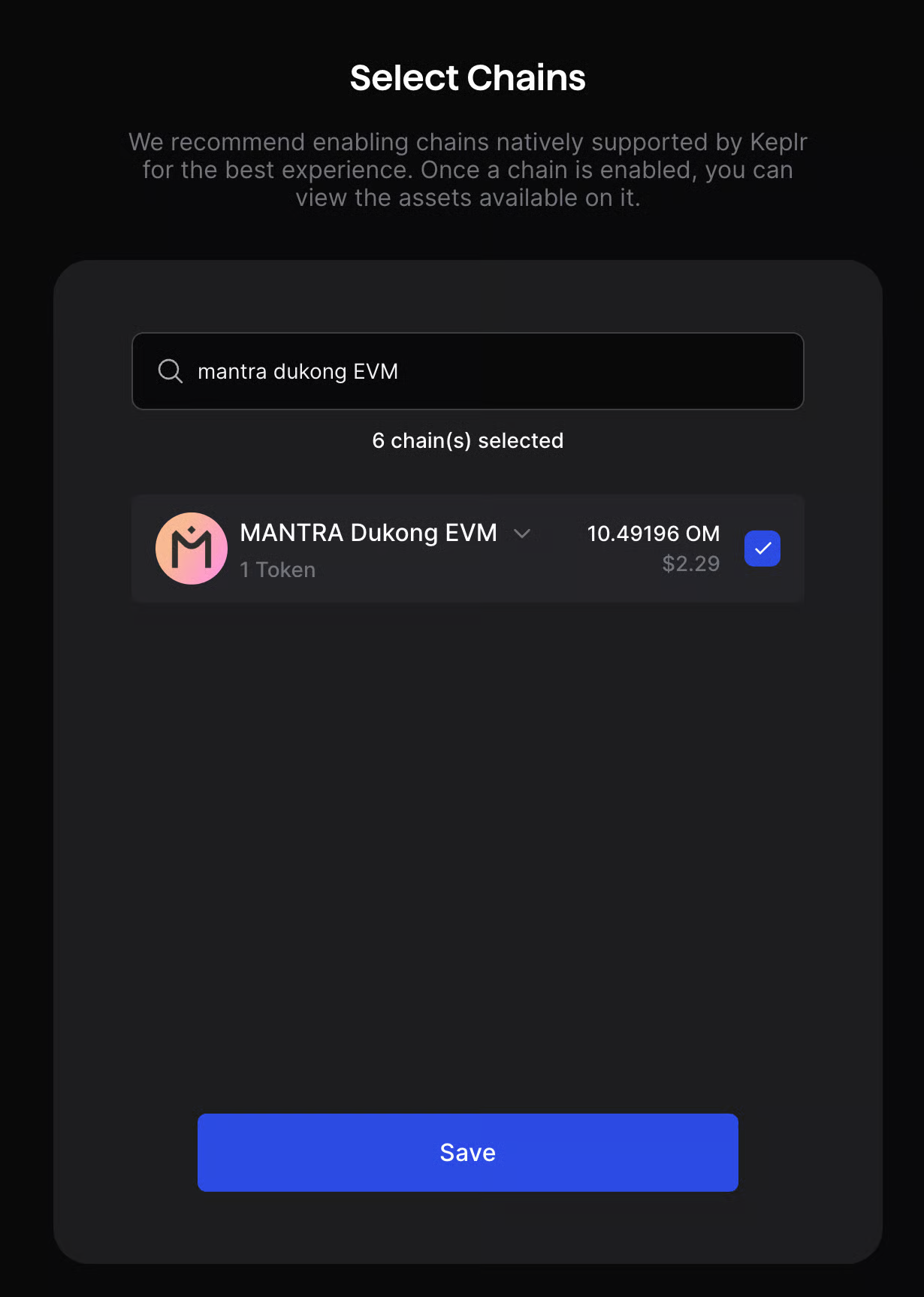
- Click the menu button in Keplr
- Search for
mantra dukong EVM - Select MANTRA Dukong EVM